Customizable Operator Screens
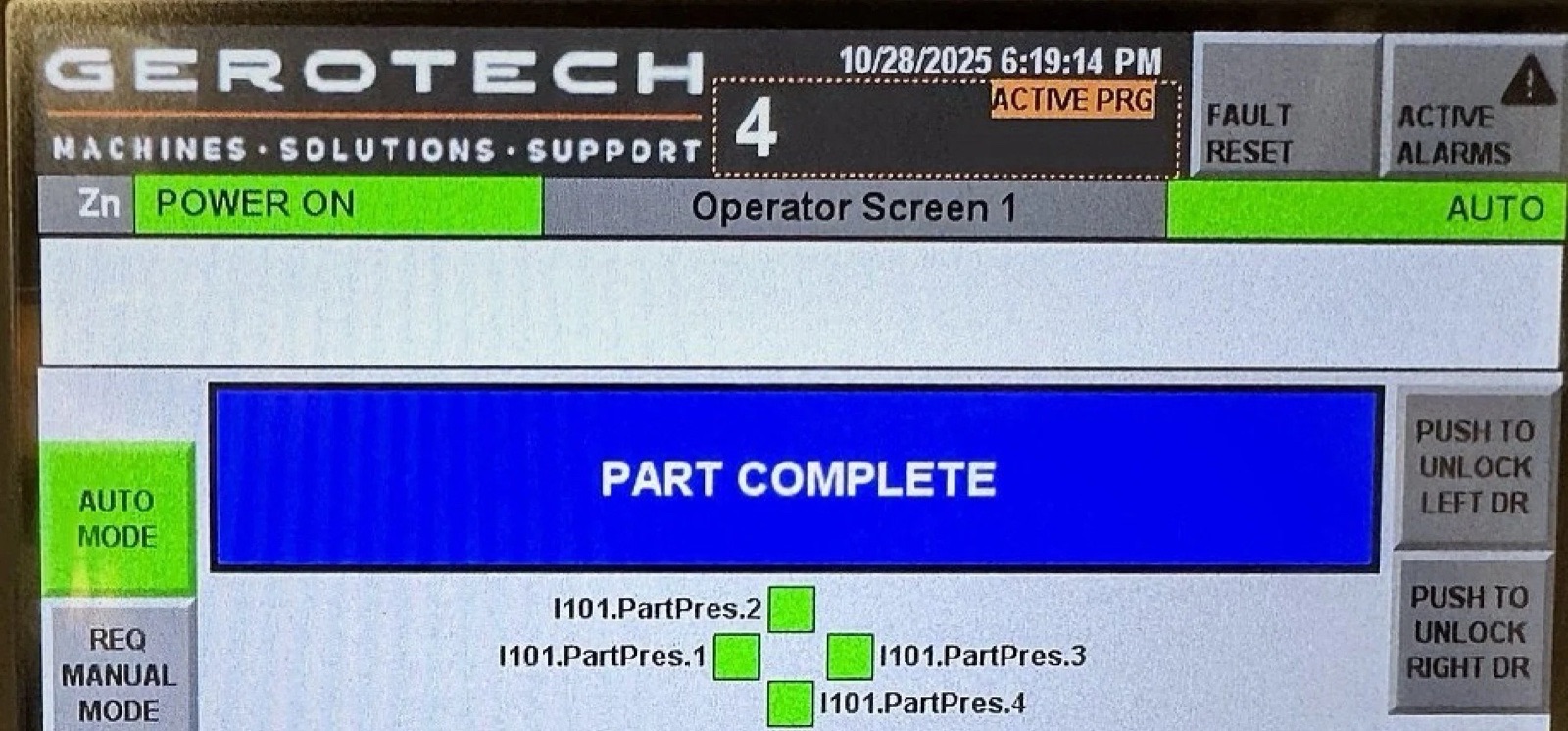
Every application is different, and the operator interface should reflect the needs of the people using it. Our HMI is fully configurable, providing a centralized location for the information and functions required for efficient day-to-day operation.
HMI – Ethernet Diagnostics
When implemented on Allen-Bradley control platforms, our software library utilizes native EtherNet/IP diagnostic capabilities to provide operators and maintenance personnel with detailed device diagnostics directly from the HMI. Access to fault codes, device status, fault descriptions, and manufacturer diagnostic information helps reduce troubleshooting time while minimizing the need for a programming laptop.
HMI – I/O Diagnostics
When implemented on Allen-Bradley control platforms, our software library provides extensive I/O diagnostics directly on the HMI, giving operators and maintenance technicians clear visibility into machine status without the need for a programming laptop. Where supported, device-specific diagnostics include manufacturer fault information, descriptions, and recommended corrective actions, enabling faster troubleshooting and reduced downtime.
HMI – Device Specific Diagnostics
Where applicable, our library components include device-level diagnostics, providing immediate access to fault codes, fault descriptions, and manufacturer-recommended corrective actions.
HMI – Device Centric Control / Feedback
Our device-centric PLC and HMI design provides a consistent, intuitive, and flexible operator experience throughout the entire system. Every device utilizes a standardized interface that presents the information, diagnostics, and controls needed for efficient operation and maintenance.
Typical device interface items:
- Current operating status and operating mode
- Manual operation and jog functions
- Clear indication of manual operation inhibits and the conditions preventing device operation
- Runtime statistics and performance information
- Device configuration and setup parameters
- Maintenance and service functions
- Device health and communication status
HMI – Cell Automation – Overview
The Cell Overview screen serves as the primary operational dashboard, presenting the most critical information required to monitor and operate the cell at a glance. Key production metrics, including part counts, cycle times, and active part status, are displayed alongside a high-level summary of the machine's safety system that corresponds directly with the detailed Safety Diagnostics screen. By consolidating essential production and safety information into a single interface, operators can quickly assess machine status, identify production bottlenecks, and respond to abnormal conditions without navigating through multiple screens.
HMI – Cell Automation – Station
Each station includes a dedicated detail screen that consolidates all relevant information into a single, easy-to-navigate interface. Operators and maintenance personnel can view and control the station operating mode, monitor active interlocks and permissives, access station-specific I/O diagnostics, review part tracking data, and interact with device-specific functions without navigating between areas of the HMI. By centralizing these tools in one location, troubleshooting is simplified, operator training is reduced, and critical machine information is always readily accessible.
HMI – Cell Automation – Part Program
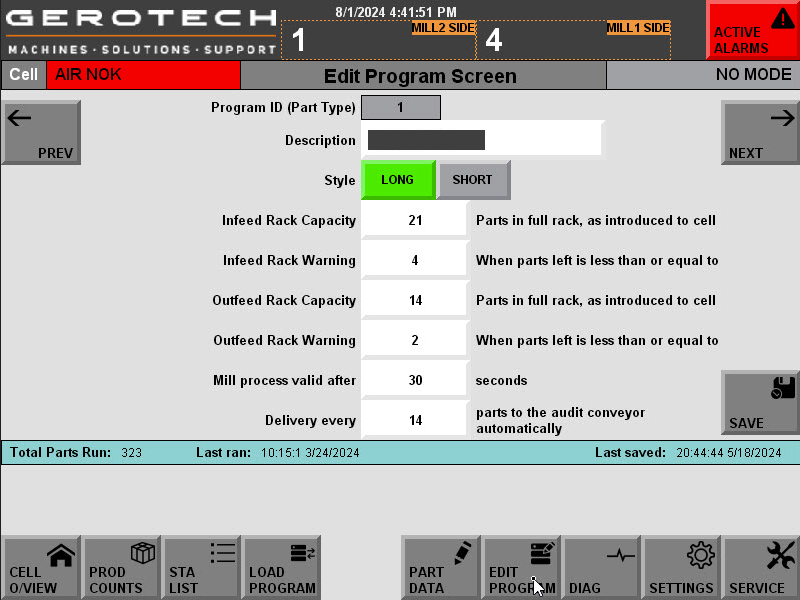
The integrated Part Program system provides the flexibility to accommodate multiple product variants, manufacturing requirements, and configurable process options without requiring software modifications. Part Programs define the parameters and processing requirements for each product, allowing the automation system to automatically adjust machine behavior based on the selected part configuration. A guided Program Load screen simplifies changeovers by walking operators through the program selection and loading process. This streamlined workflow reduces setup time, minimizes the risk of operator error, and enables fast, repeatable product changeovers with minimal training.
HMI – Cell Automation – Part Data View
The cell-level Part Data screen provides a centralized view of the current status of each part as it progresses through the manufacturing process. Operators can quickly identify required and completed operations, review process-specific data, monitor part tracking information. By consolidating critical production data into a single interface, the system improves traceability, simplifies troubleshooting, and provides clear visibility into the overall health and progress of each part throughout the cell.
HMI – Cell Automation – Safety Devices
The Safety Diagnostics screen provides a comprehensive view of the machine's safety system, allowing operators and maintenance personnel to quickly identify the status of all safety inputs, outputs, and safety functions. Each safety device includes contextual diagnostics and detailed status information to clearly indicate the current operating condition, fault state, or reason for a safety stop. By presenting meaningful diagnostic information alongside each device, the system reduces troubleshooting time, improves maintenance efficiency, and helps restore the machine to operation safely and quickly.